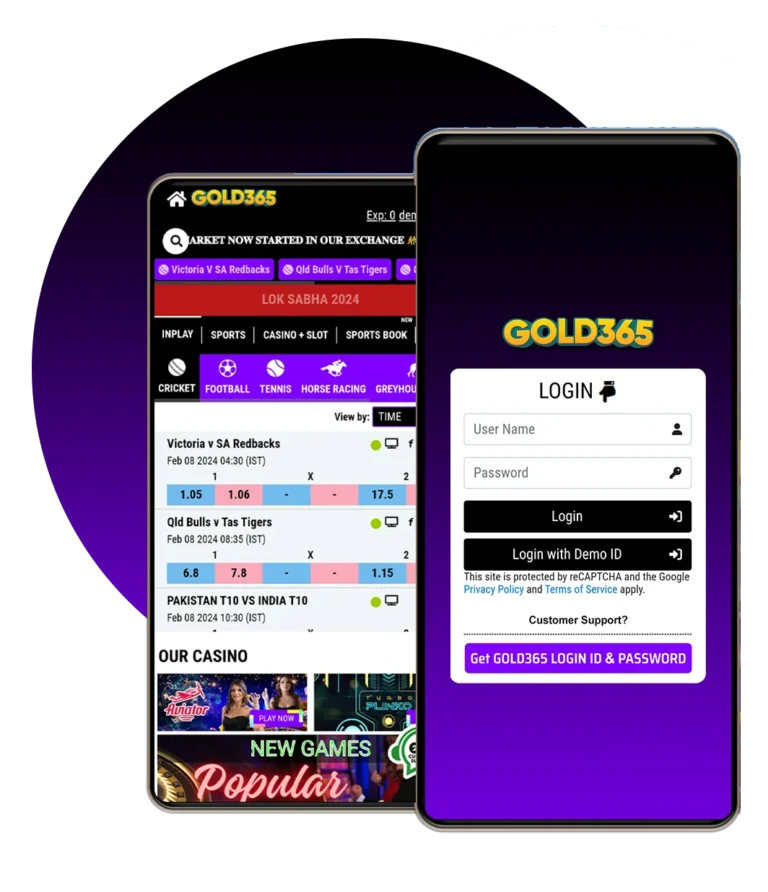
Cricket Betting ID Security and Privacy Tips
Using a digital cricket platform involves more than remembering a username and password. A Cricket Betting ID may contain personal information, verification documents, contact details, login history, and transaction records. If these details are not protected correctly, users may face unauthorized access, identity theft, financial fraud, or difficulty recovering their accounts.
Security depends on both the platform and the user. A provider should use secure technology, transparent privacy practices, and reliable verification procedures. At the same time, users must create strong passwords, avoid fake websites, secure their devices, and keep confidential codes private.
Cybercriminals frequently use phishing messages, copied login pages, fake support accounts, and unofficial applications to target digital account holders. These attacks often appear convincing and create a sense of urgency. Learning to recognize them is an important part of maintaining account safety.
The following Cricket Betting ID security and privacy tips can help eligible adult users protect their information and access accounts more responsibly.
Choose a Transparent and Lawful Provider
Security begins with the provider you select. An attractive website or quick registration offer does not prove that a platform is dependable.
Before creating an account, confirm that the provider clearly displays its terms, privacy policy, eligibility requirements, contact details, and account rules. The platform should explain how personal information is collected and why verification may be necessary.
Users must also confirm that the service is permitted in their location. Online betting laws vary between countries and Indian states. Accessing a website does not automatically mean that using its services is lawful. Only eligible adults should register, and users should never enter false age or location details to bypass restrictions.
Avoid providers that hide important conditions, pressure users to register immediately, or operate entirely through changing personal numbers.
Verify the Official Website Address
Fake websites may closely imitate the colours, logo, layout, and login form of a genuine platform. Their purpose is often to capture passwords, OTPs, identity documents, or payment details.
Inspect the complete domain name before entering information. Look for spelling changes, extra characters, unusual hyphens, or unfamiliar extensions. It is safer to type the verified address directly into the browser or use a trusted bookmark.
The website should use HTTPS, represented by a padlock icon. HTTPS encrypts information while it travels between the browser and website, but it does not guarantee that the operator is genuine. Fraudulent sites can also use encryption certificates.
Combine the HTTPS check with verification of the domain, customer-support details, privacy policy, and independent reputation.
Create a Strong and Unique Password
A strong password is one of the most effective protections for a Cricket Betting ID. Weak credentials such as names, dates of birth, mobile numbers, and simple number sequences can be guessed easily.
Create a long password containing a mix of:
- Uppercase letters
- Lowercase letters
- Numbers
- Symbols
- Unrelated words or characters
Do not reuse a password from email, social media, banking, or another gaming platform. If one service experiences a data breach, criminals may test the exposed credentials on other websites.
A reputable password manager can create and store complex passwords securely. Avoid saving credentials in screenshots, unprotected notes, spreadsheets, or messaging conversations.
Change the password immediately if you receive an unknown login alert or believe someone else may have seen it.
Activate Two-Factor Authentication
Two-factor authentication adds a second identity check after the password. This additional layer may use an authentication application, SMS code, email code, or security key.
Enable it whenever the platform provides the option. Authentication applications are generally less vulnerable to certain mobile-number attacks than SMS, although any genuine second factor is typically better than a password alone.
Store backup or recovery codes in a secure offline location. Do not keep them in the same note as the password.
No customer-support representative should ask you to disclose a two-factor authentication code. A person who receives that code may be able to enter your account, even if they do not know the password.
Never Share an OTP or Security Code
An OTP is designed to confirm that the person completing an action has access to the registered device. It should remain private.
Fraudsters may claim that an OTP is required to confirm registration, cancel a payment, receive a reward, or secure a compromised account. They may impersonate platform representatives through calls, social media, or WhatsApp.
Enter an OTP only on the verified website or official application when you personally initiated the request. Never read it aloud or send a screenshot of the message.
The same rule applies to passwords, UPI PINs, card PINs, CVVs, security answers, and recovery codes. Genuine support teams should not request these confidential details.
Protect Your Registered Mobile Number
A mobile number may be used for OTP verification, security notifications, and password recovery. Losing control of it could place the Cricket Betting ID at risk.
Use a number that belongs to you and remains active. Avoid registering with a temporary or borrowed number. Add a SIM PIN where the feature is available and protect the phone with a strong screen lock.
Contact the mobile operator immediately if your SIM unexpectedly stops receiving service or you receive a notification about a replacement request that you did not make. These may be signs of an attempted SIM swap.
When changing your number, update it through the platform’s official account settings or verified support process.
Secure the Connected Email Account
Your registered email can be used to reset the account password and approve important changes. It requires the same level of protection as the Cricket Betting ID itself.
Use a unique email password and enable two-factor authentication. Review active email sessions, recovery details, forwarding rules, and connected applications regularly.
An attacker with access to your email may delete security alerts before you notice them. Therefore, investigate unexpected password-reset messages even when no visible account changes have occurred.
Keep the registered email address active. Using an abandoned or disposable account can make future recovery more difficult.
Download Applications Only From Official Sources
Unofficial Online Cricket id applications can contain malware, spyware, or modified login screens designed to steal information. Be particularly careful with APK files distributed through unknown messages or groups.
If a provider offers an application, obtain it only from a recognized app store or the verified official website. Check the developer’s name, download source, update history, and requested permissions.
A cricket-related application should not request unnecessary access to contacts, messages, microphone, camera, or stored files without a clear explanation.
Keep the application updated. Security patches can correct vulnerabilities that could otherwise expose login or personal information.
Maintain Device Security
Account protection becomes difficult when the device itself is compromised. Keep the operating system, browser, security software, and installed applications updated.
Secure the device with a password, PIN, fingerprint, or facial recognition. Enable remote-location and remote-wipe functions so that sensitive data can be protected if the phone is lost or stolen.
Avoid rooting or modifying a device in ways that weaken its built-in security. Remove applications you do not recognize and review permissions periodically.
Unexpected advertisements, unknown applications, rapid battery drain, overheating, or unusual mobile-data use may indicate malware. Run a trusted security scan and avoid accessing sensitive accounts until the issue is resolved.
Avoid Public Wi-Fi for Sensitive Activity
Public Wi-Fi networks in hotels, airports, cafés, and shopping centres may not be adequately protected. Attackers can also create fake networks using names that resemble those of genuine venues.
Use mobile data or a trusted private network when accessing your account or completing sensitive activity. Turn off automatic Wi-Fi connection and device-sharing features.
If you must use public Wi-Fi, verify the network name with the venue and avoid entering payment information. Log out after finishing and do not allow the browser to save your credentials.
Never access a Cricket Betting ID from a public computer. Such devices may store passwords, documents, browsing history, or session information.
Recognize Phishing Messages
Phishing is one of the most common threats to account privacy. A fraudulent message may claim that your ID has been suspended, a transaction has failed, or urgent verification is required.
Warning signs include:
- Requests for passwords or OTPs
- Shortened or misspelled links
- Unexpected attachments
- Poor spelling or inconsistent branding
- Unrealistic rewards
- Threats of immediate account closure
- Messages from unofficial numbers
- Requests to install screen-sharing software
- Pressure to transfer money quickly
Do not respond directly. Open the official website independently and contact verified customer support. Report and block the suspicious sender after preserving evidence if necessary.
Review the Provider’s Privacy Policy
Before submitting personal information, read the privacy policy. It should explain which data is collected, how it is used, how long it may be retained, and whether it is shared with service providers or authorities.
A responsible privacy policy should also explain user rights, data-security measures, cookies, identity verification, and the process for requesting account closure or data correction.
Avoid platforms that provide no privacy policy or use unclear wording that gives them unrestricted rights over personal information.
Share only the information required by the official registration and verification process. Do not provide extra documents simply because an unknown person requests them.
Submit Verification Documents Securely
Identity documents contain valuable information that can be misused. Upload them only through a secure section of the official website or application.
Before uploading a document:
- Confirm the domain
- Check the privacy policy
- Understand why the document is required
- Review which formats are accepted
- Ensure the connection is secure
- Confirm the provider’s official support channels
Do not send identification through an unfamiliar personal number, public group, or social media profile.
The information entered during registration should match the documents. Do not digitally alter an official document or use another person’s identity.
Protect Payment Information
If the platform handles transactions, use payment methods held in your own name and follow the provider’s verified process. Avoid sending money to an unknown account merely because someone claims to represent customer support.
A UPI PIN authorizes a transaction and is not normally required to receive money. Do not enter a PIN to accept a supposed reward or refund unless you clearly understand and initiated the transaction.
Enable alerts through your bank, card provider, or payment application. Review transaction history regularly and report unfamiliar activity immediately.
Avoid saving card details on shared devices. Where available, use transaction limits and additional payment authentication.
Monitor Account Activity
Review recent logins, active sessions, profile changes, and transactions frequently. Early detection can prevent further misuse.
Possible warning signs include:
- Login alerts from an unfamiliar device
- Password-reset messages you did not request
- Changes to the registered mobile number
- Unknown profile edits
- Missing account notifications
- Transactions you do not recognize
- Repeated login failures
- New devices connected to the account
Location details shown in security alerts can sometimes be approximate, especially when using mobile networks or VPNs. However, unexplained activity should still be investigated.
Use the “log out from all devices” option after changing a potentially compromised password.
Do Not Share or Sell Your Account
A Cricket Betting ID should normally be used only by its verified owner. Sharing, renting, or selling access weakens security and may violate the provider’s rules.
If several people use the same credentials, it becomes difficult to identify unauthorized activity. Shared access can also expose personal documents, payment information, and account history.
Never allow another person to register using your identity. You could remain associated with activity conducted through that account.
Keep login details confidential, even when the request comes from a friend or relative.
Use Official Customer Support
Contact support using information displayed on the verified website. Fraudsters frequently create profiles that copy a provider’s name and logo.
A professional support representative may ask for a username, account reference, or limited verification information. They should not request your password, complete OTP, UPI PIN, card PIN, or remote access to your device.
Keep screenshots and reference numbers for important support conversations. Written records can help if the issue needs to be escalated.
Before following instructions involving account or payment changes, confirm that you are speaking through an official channel.
What to Do If Your Account Is Compromised
If you suspect unauthorized access, act immediately:
- Open the verified website using a trusted device.
- Change the account password.
- Log out from all active sessions.
- Reset or activate two-factor authentication.
- Review contact details and recent transactions.
- Secure the connected email account.
- Contact official customer support.
- Notify the payment provider or bank if money is involved.
- Preserve messages, screenshots, and transaction records.
- Report suspected cybercrime through the appropriate official channels.
In India, users can report financial cyber fraud promptly through official cybercrime reporting facilities. Quick reporting may improve the possibility of limiting further loss.
Manage Privacy Beyond the Platform
Account privacy also depends on what users publish elsewhere. Avoid posting screenshots that reveal an account number, balance, registered phone number, transaction reference, QR code, or personal document.
Review social media privacy settings and be cautious about public posts discussing your account. Fraudsters may use this information to create convincing impersonation messages.
Do not use security questions with answers that can be found on public profiles. Details such as a pet’s name, birthday, hometown, or family member’s name may be easy to discover.
Limit the information available to unknown callers and online contacts.
Frequently Asked Questions
What is the best way to secure a Cricket Betting ID?
Use a unique password, activate two-factor authentication, secure the registered phone and email, and access the account only through the verified website or official application.
Should I share my OTP with customer support?
No. Never share an OTP, password, recovery code, UPI PIN, or card PIN with anyone, including someone claiming to represent customer support.
How can I identify a fake login website?
Check the complete domain spelling, avoid unsolicited links, and compare the address with the verified official website. Design and HTTPS alone do not prove authenticity.
Is it safe to access my account through public Wi-Fi?
It is safer to use mobile data or a trusted private network. Public networks may expose users to fake access points and other security risks.
What should I do after receiving an unknown login alert?
Change the password, close all active sessions, review account details, secure your email, and contact official support immediately.
Conclusion
Strong Cricket Betting ID security requires both a responsible platform and careful user behaviour. Choose a transparent provider, verify the official website, create a unique password, and enable two-factor authentication. Protect the registered mobile number and email because they are often essential for verification and recovery.
Never share passwords, OTPs, recovery codes, or payment PINs. Avoid unofficial applications, suspicious links, public devices, and unknown support profiles. Review login and transaction history regularly so that unusual activity can be identified quickly.
Privacy protection should continue outside the platform as well. Keep screenshots, account details, documents, and transaction references away from public channels. If an account appears compromised, change the credentials and contact verified support without delay.
Online betting is restricted or prohibited in some locations. Use such services only where lawful, only if you meet the applicable minimum-age requirement, and maintain firm personal and financial limits.